Getting Started
•
Updated about 1 month ago
Connecting (or Reconnecting) Your Etsy Shop to Your Podzilla Store Account
Getting Started
Account Management
1. You must be in the store account you want to connect to your Etsy shop before starting.
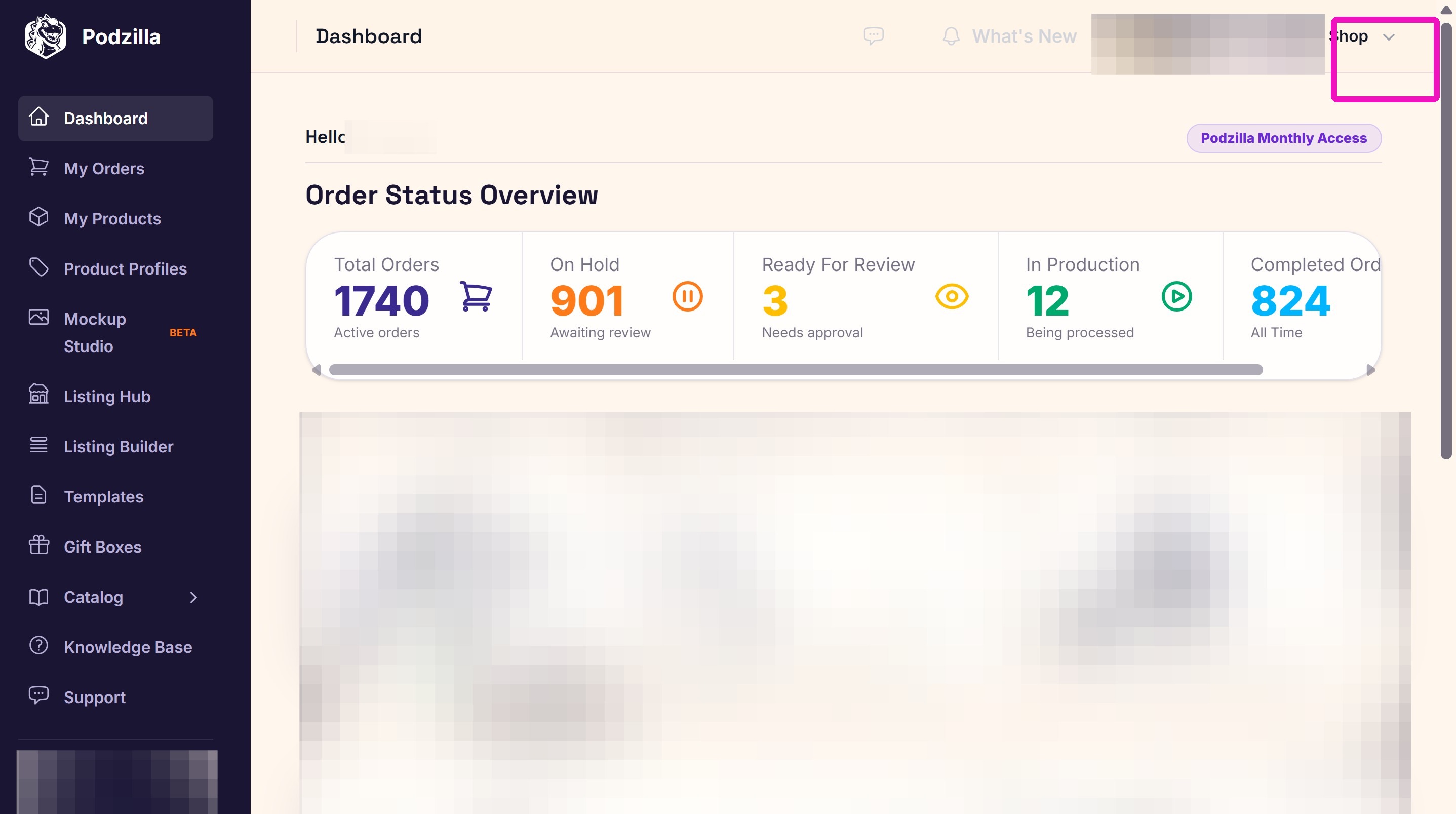
2. Click Your Accounts from the dropdown menu.
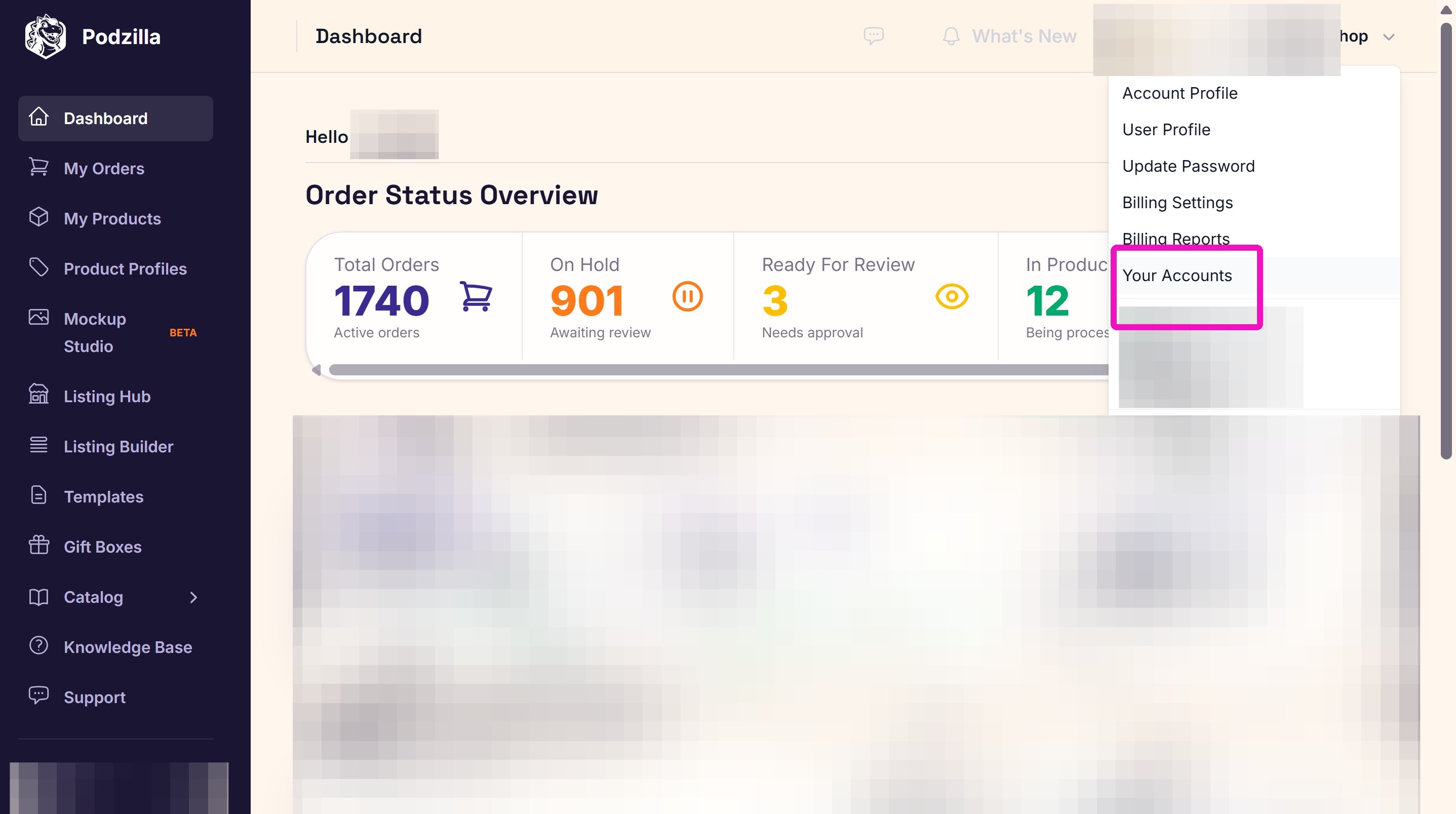
3. Click the View link next to the store accout you are connecting to your Etsy shop.
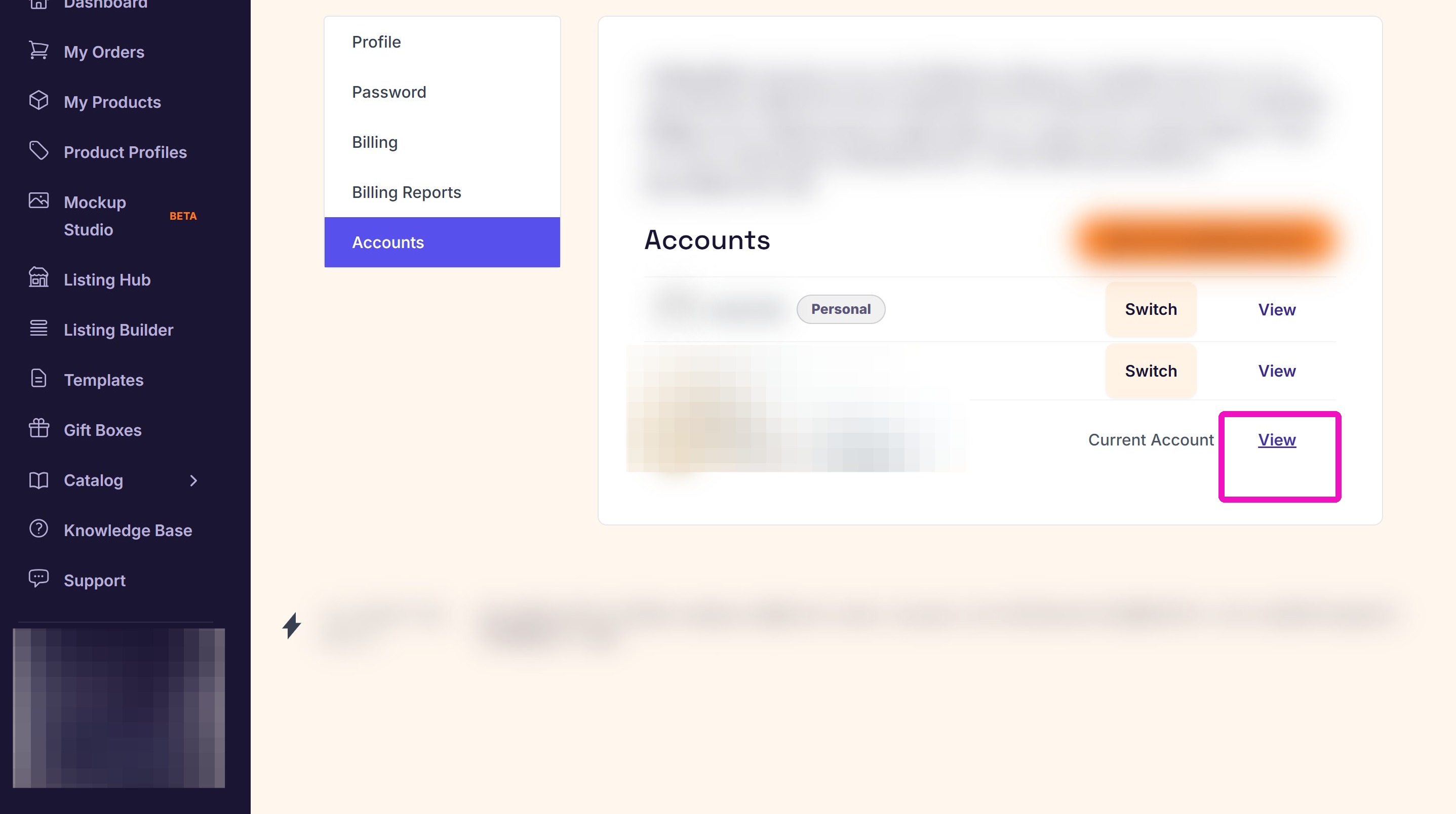
4. Click the Edit Account button.
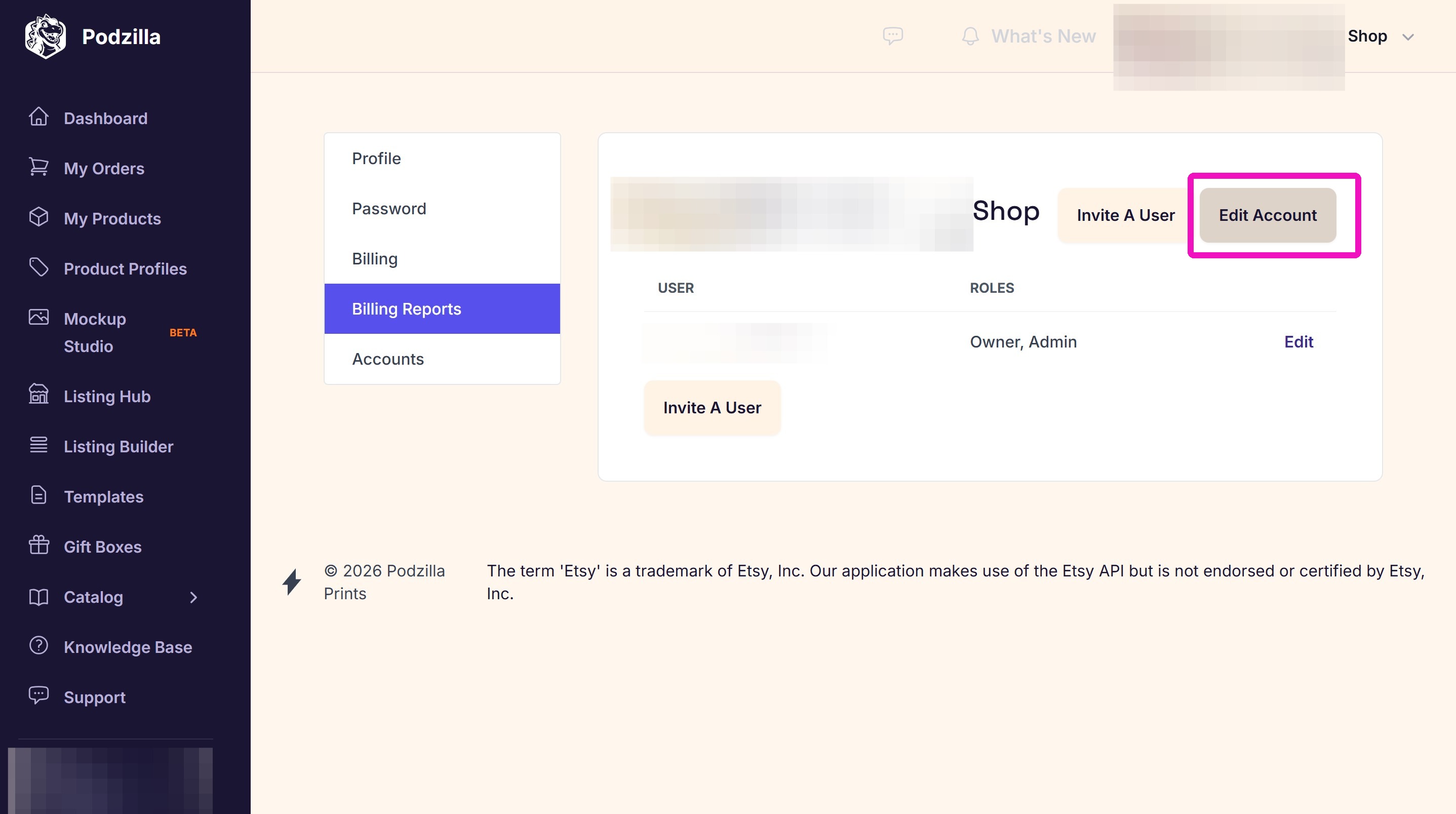
IMPORTANT!
Be sure you are logged into your Etsy shop before proceeding to the next step. Your Etsy shop must be active.
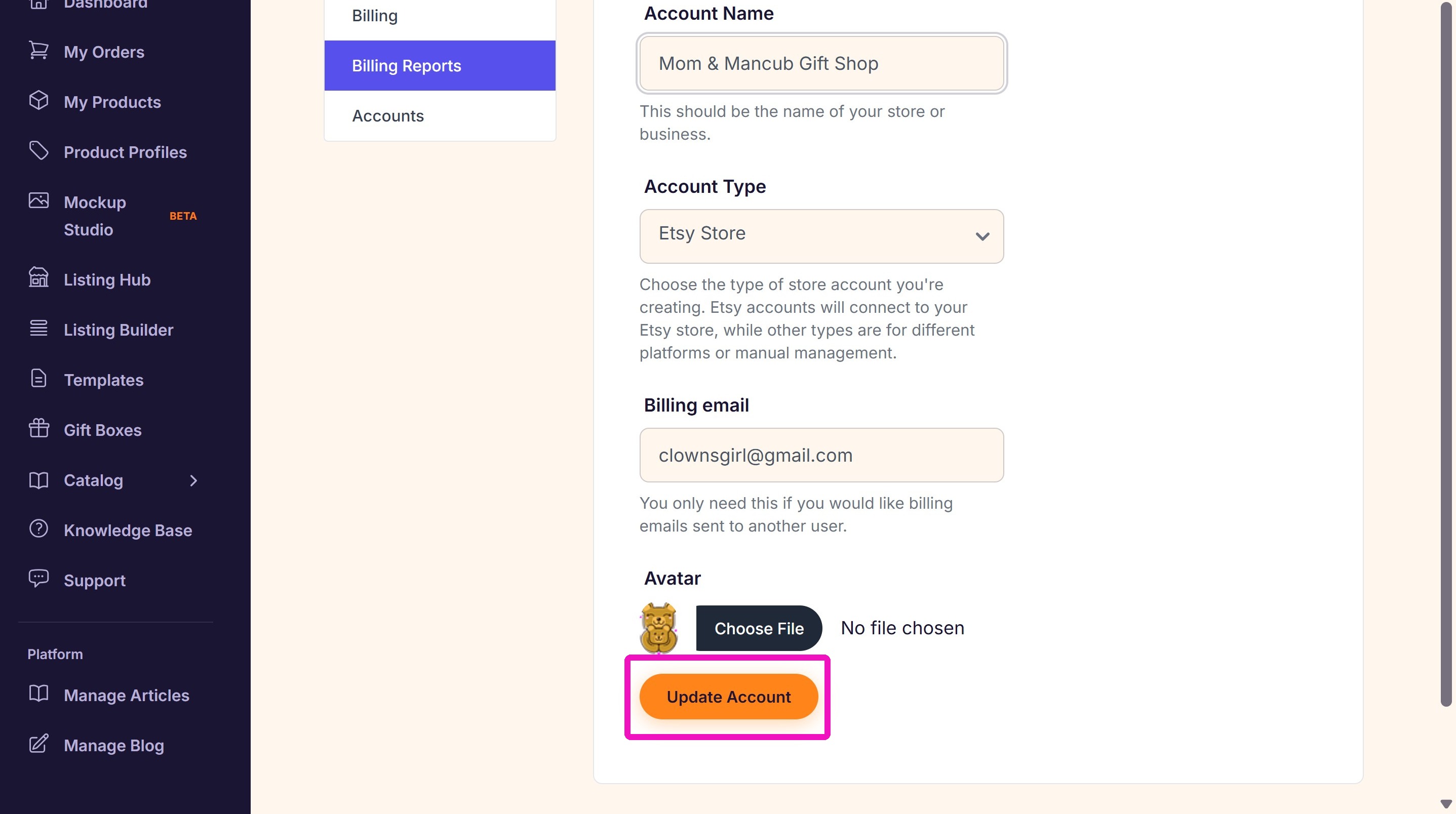
5. Enter your Etsy shop name, make sure the Account Type is Etsy Store, and click Update Account.
Related
More Articles
Getting Started
Welcome to Podzilla! The Podzilla website lets you manage products and orders associated with your shop(s). Let’s get you started.
Getting Started
3,020 views
How to Use the Candle Design Template
TRANSCRIPTThis article explains how to use Podzilla’s candle design templates, including layout...
How-To Videos
1,497 views
[NEW FEATURE] Mockup Studio (Beta) drops TONIGHT - July 14, 2026
We built a Mockup Generator right into PODzilla! Big one for everyone who's tired of mocking up products one at a time in Canva or fighting with Photopea to get it to work with smart objects.
Updates & Announcements
1,328 views
Shipping Profile Info
We use USPS Ground Advantage for all standard shipping. If your customers need their orders faster, Express upgrades are available. These use USPS Priority Mail, and pricing is as follows:
Getting Started
1,200 views
Introduction to Podzilla
Introduction to Podzilla by Valerie Pate
Getting Started
895 views