Search our knowledge base or browse categories below.
Mockup Studio•Updated 3 months ago
Mockup Studio Settings
Creating ProductsMockup StudioTraining
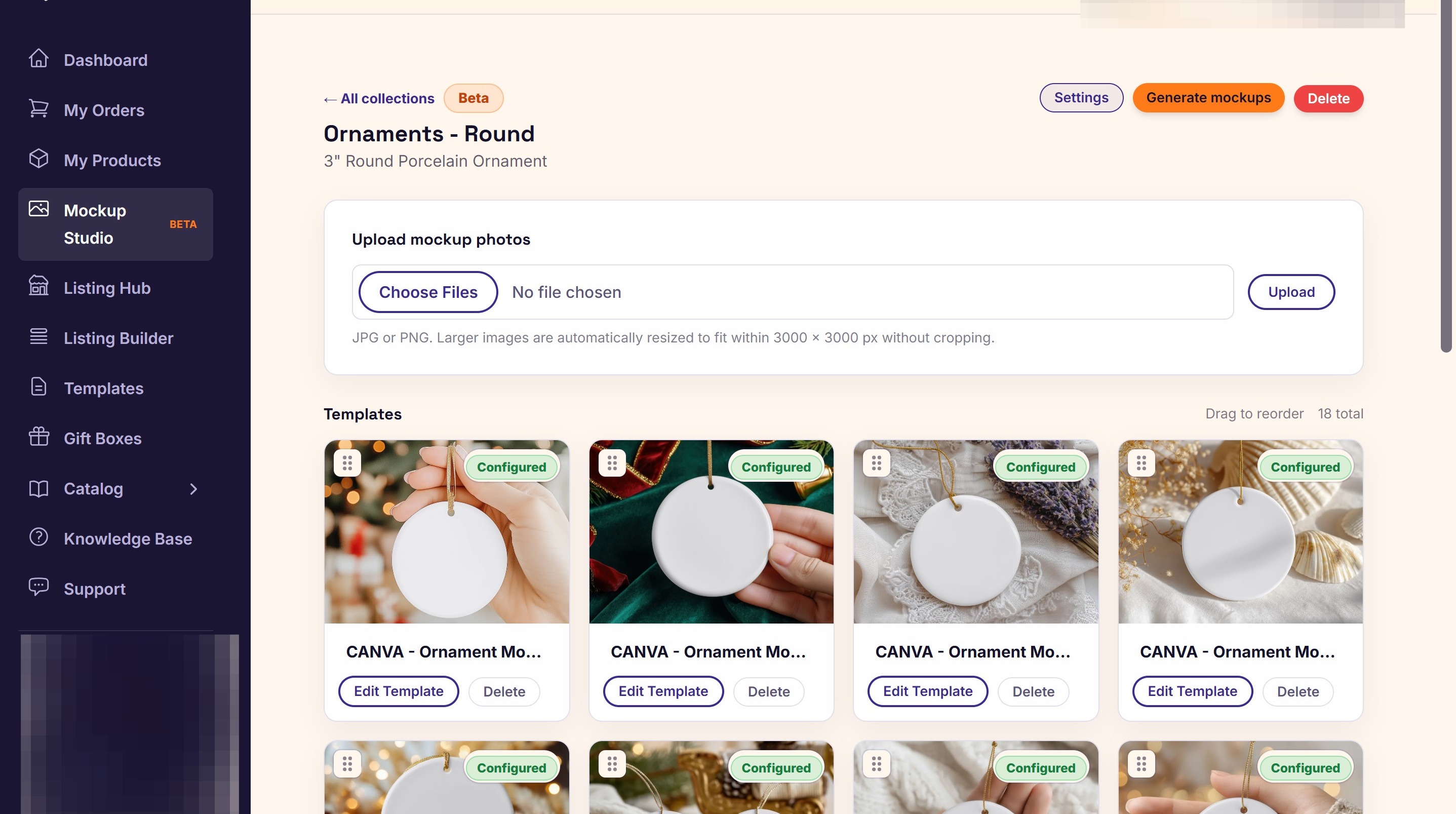
1. Open your collection in the Mockup Studio.
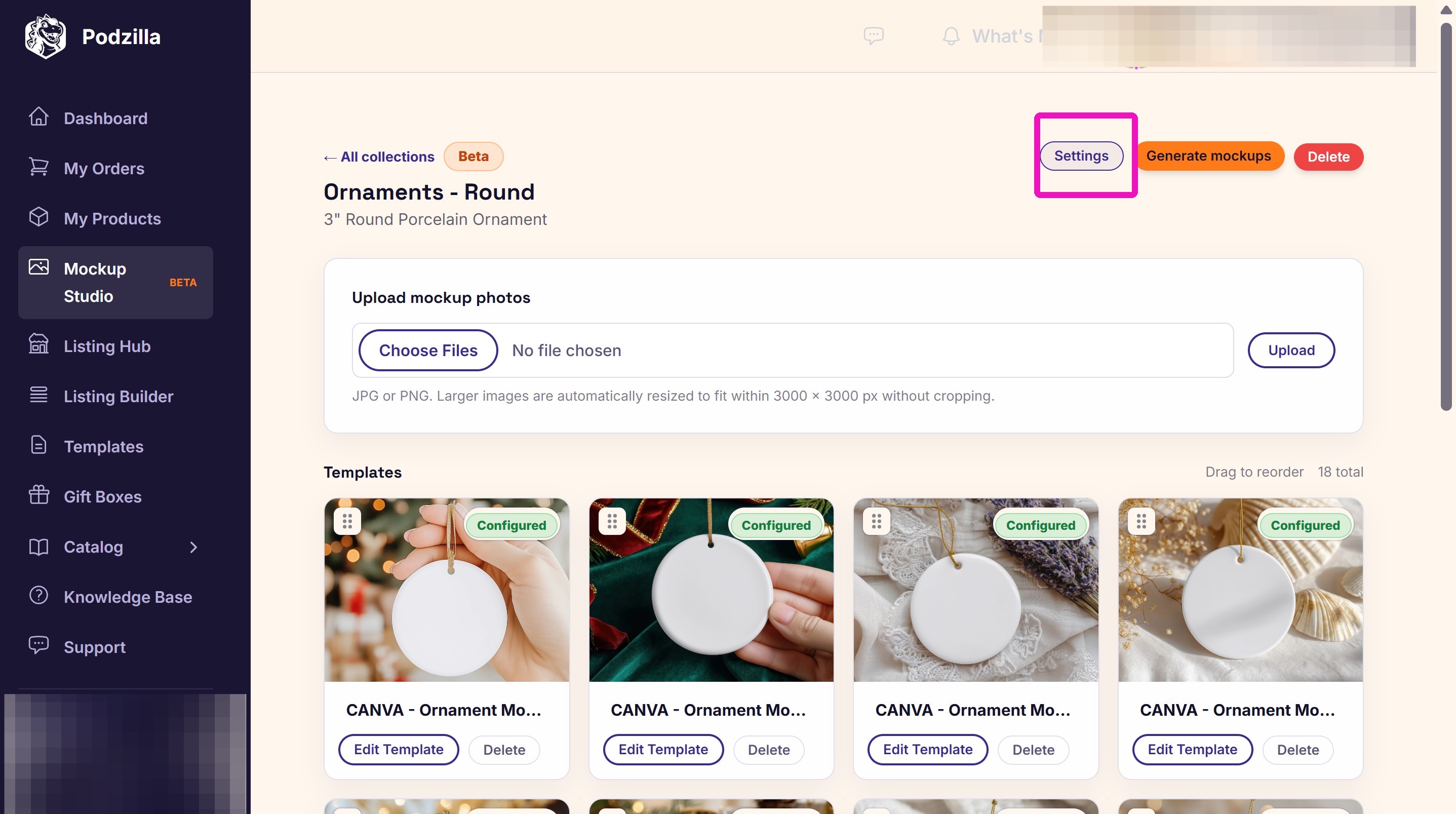
2. Click Settings.
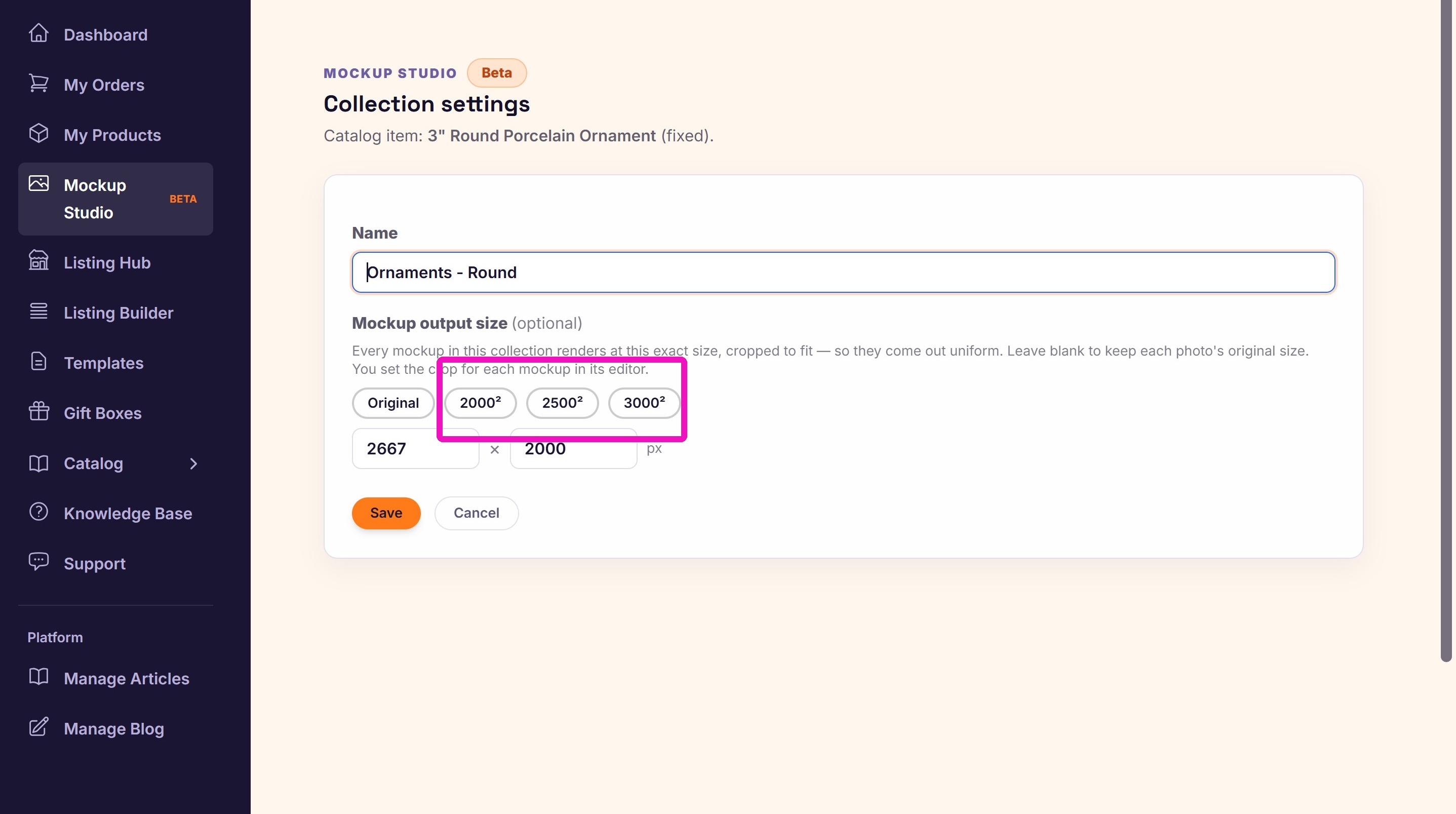
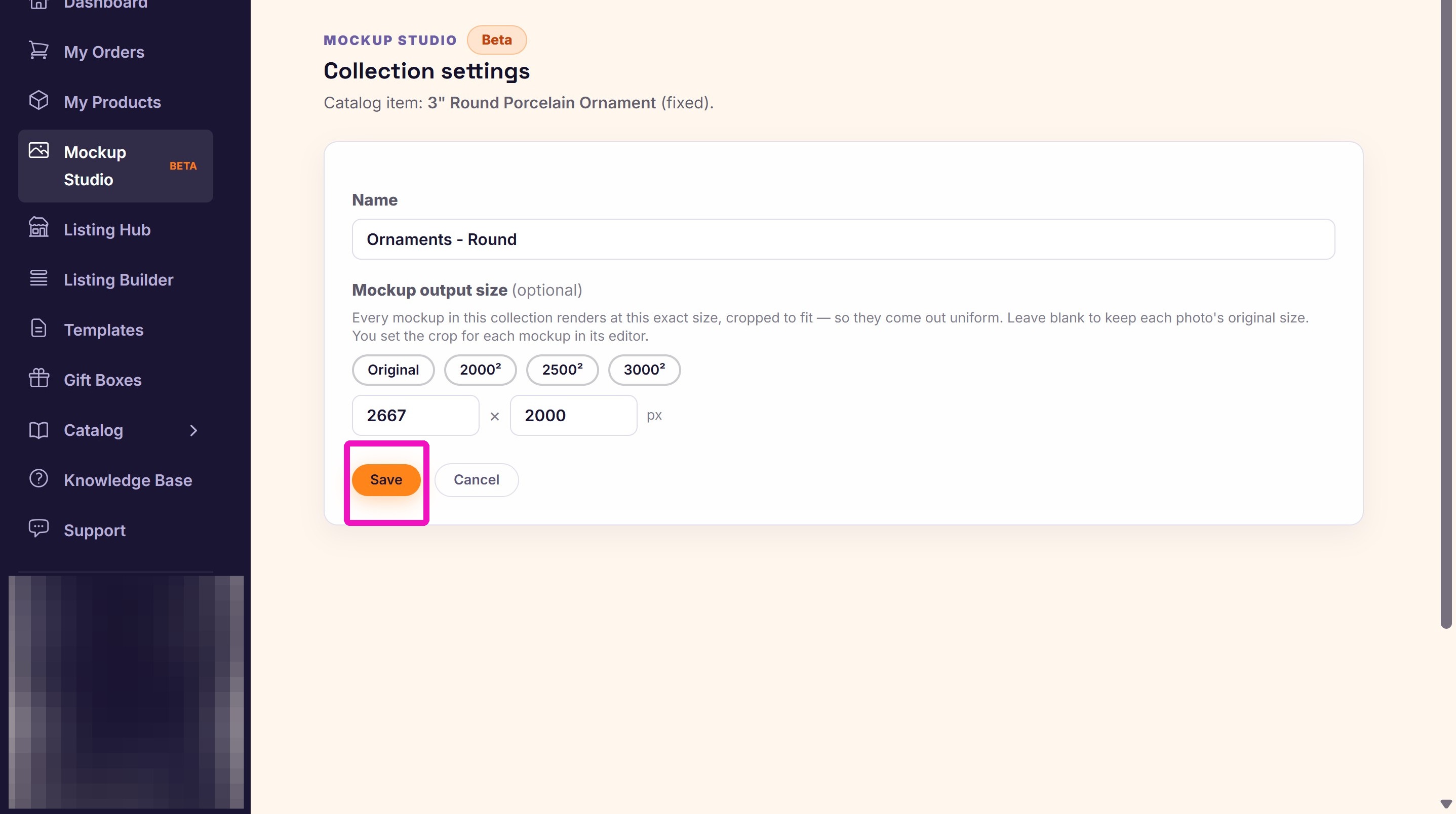
3. Choose the size you want the mockups to be when generated.
Note: If you choose Original, you will not see the Crop button when you configure your ornaments. They will generate as the same size as the original mockup file you uploaded.