Account & Payments
•
Updated 3 months ago
Managing User Account Permissions
Account Management
Customer Service
Quick Guide
1. Click the dropdown menu next to your name in the upper right corner.
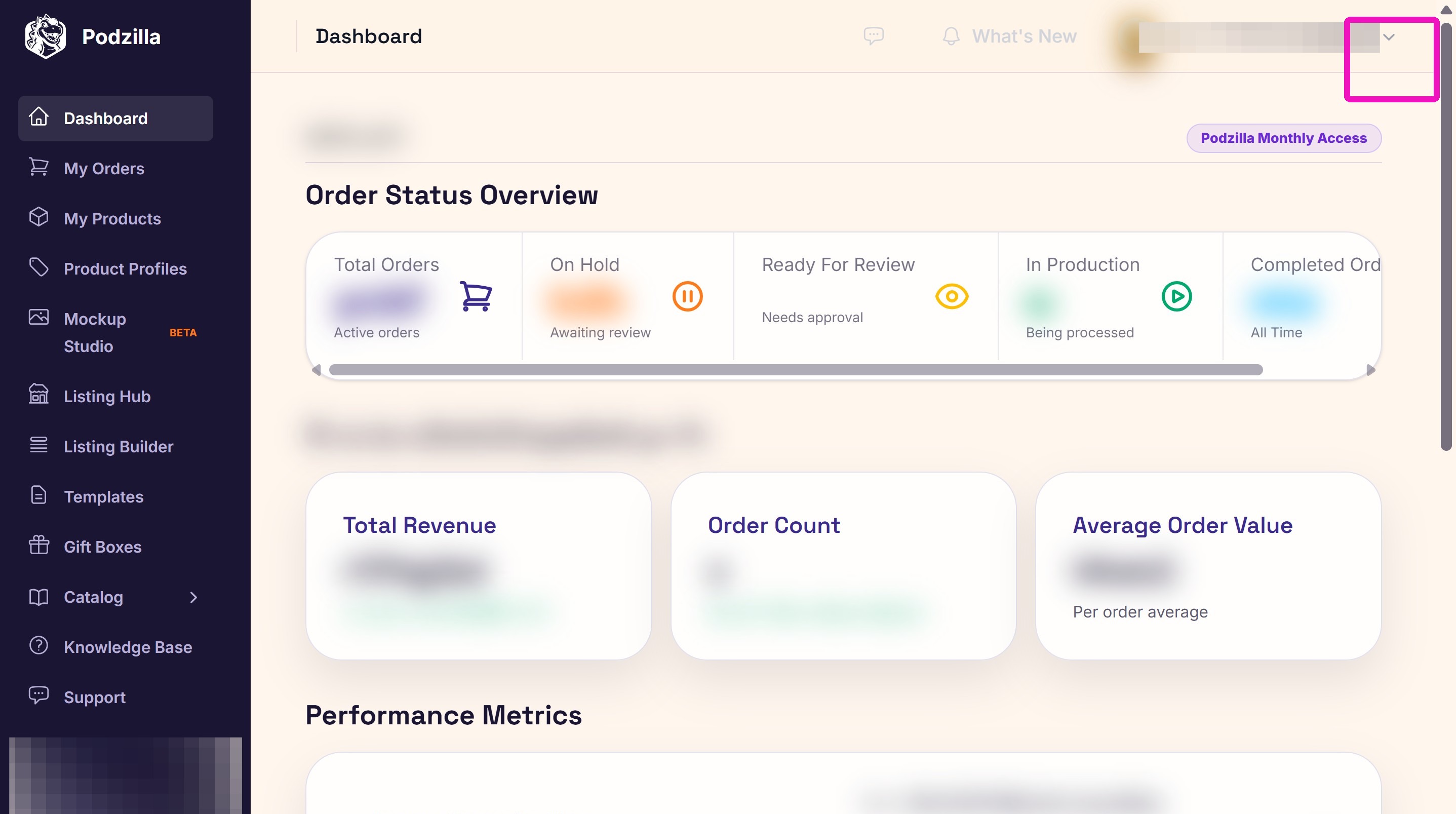
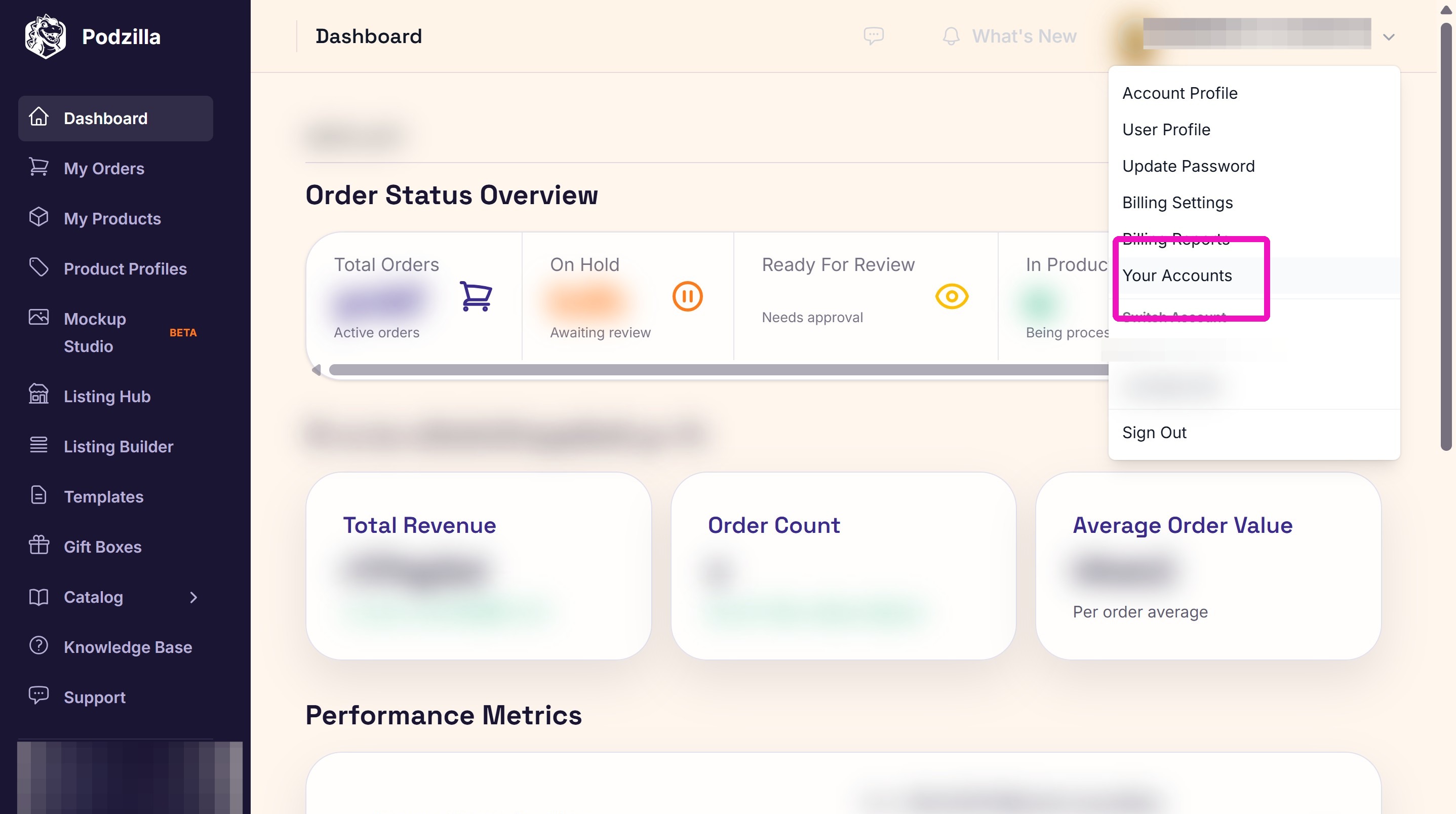
2. Click Your Accounts.
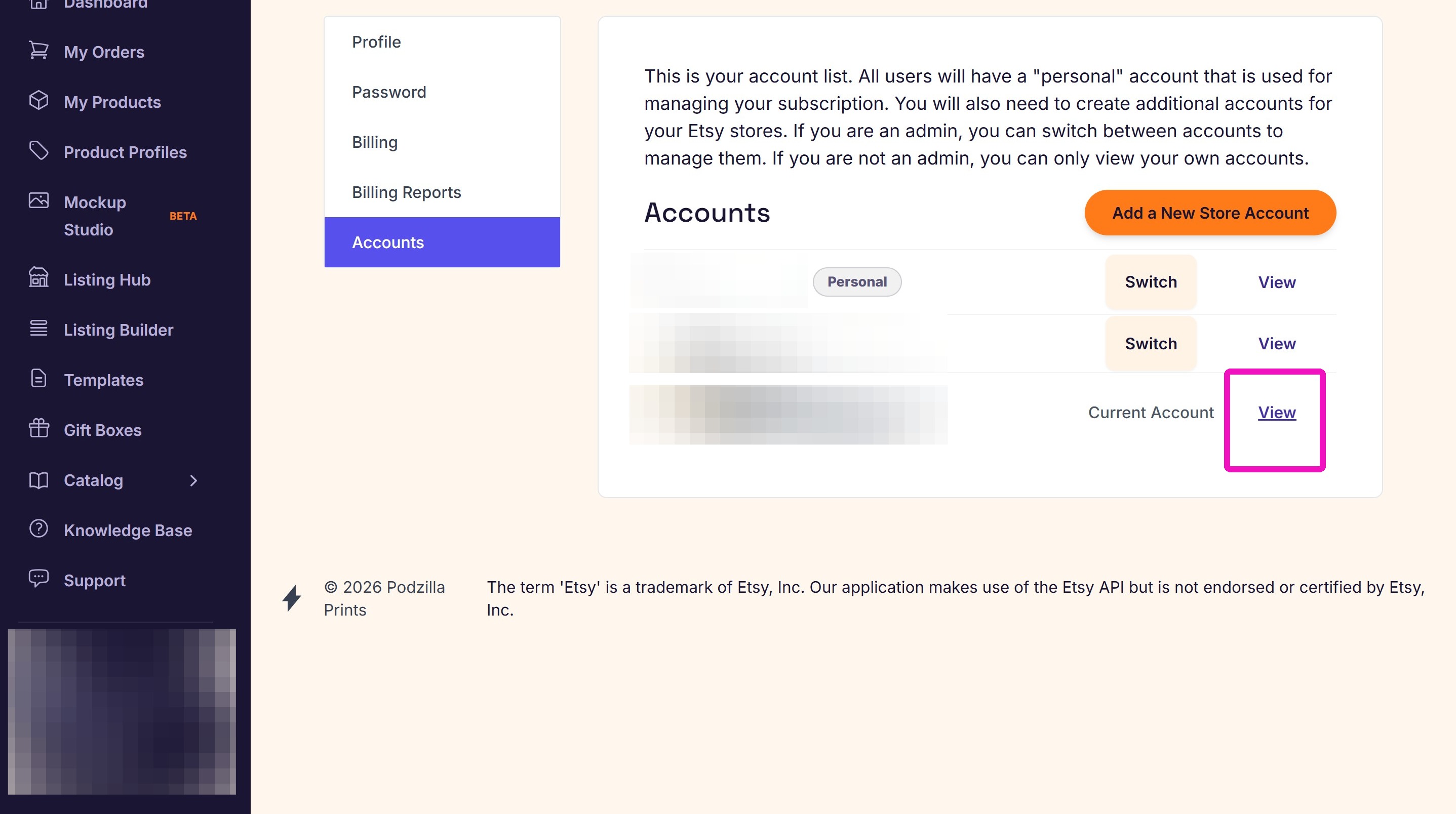
3. Click the View button next to the account you want to change.
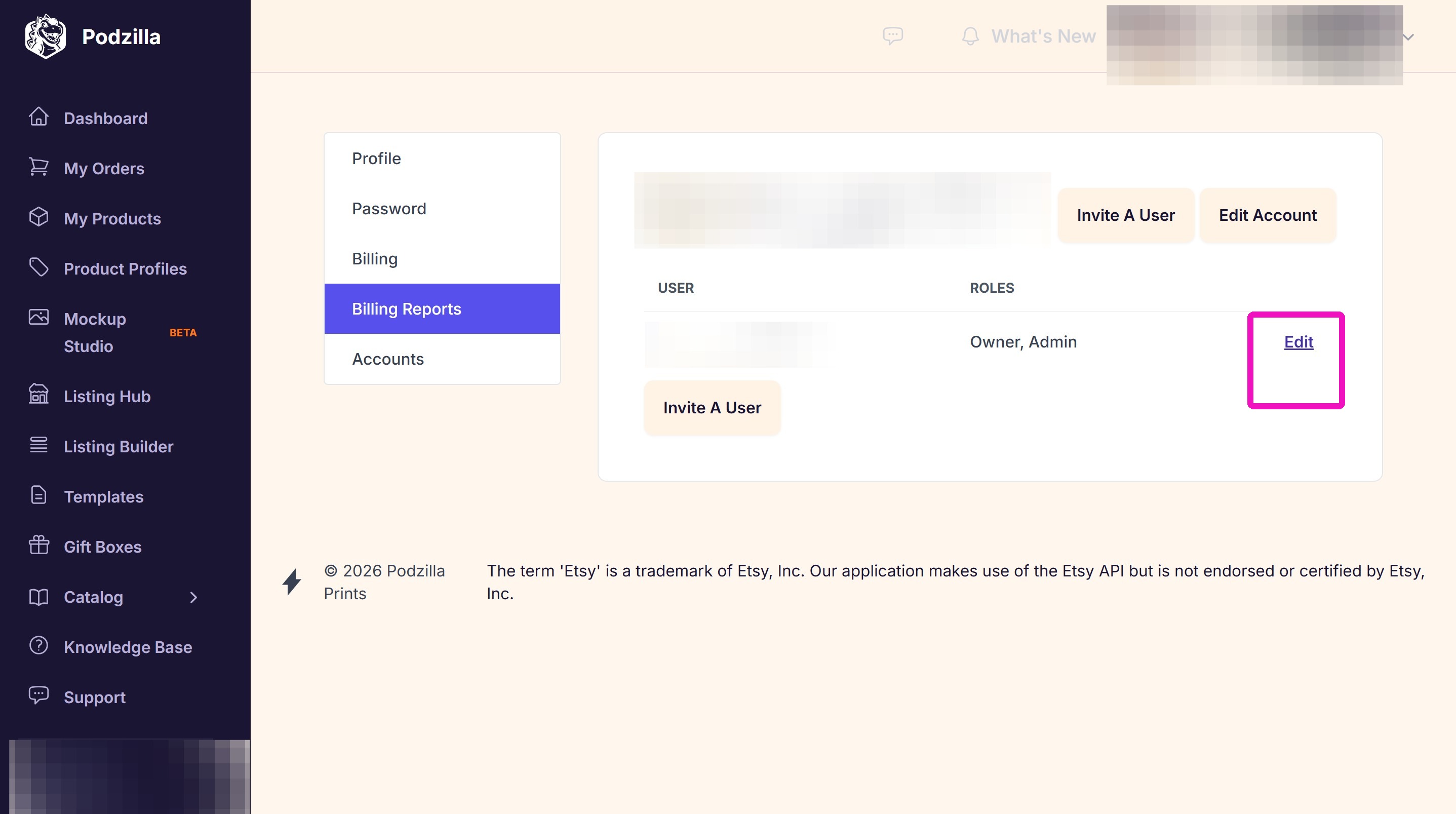
4. Click the Edit button for that account.
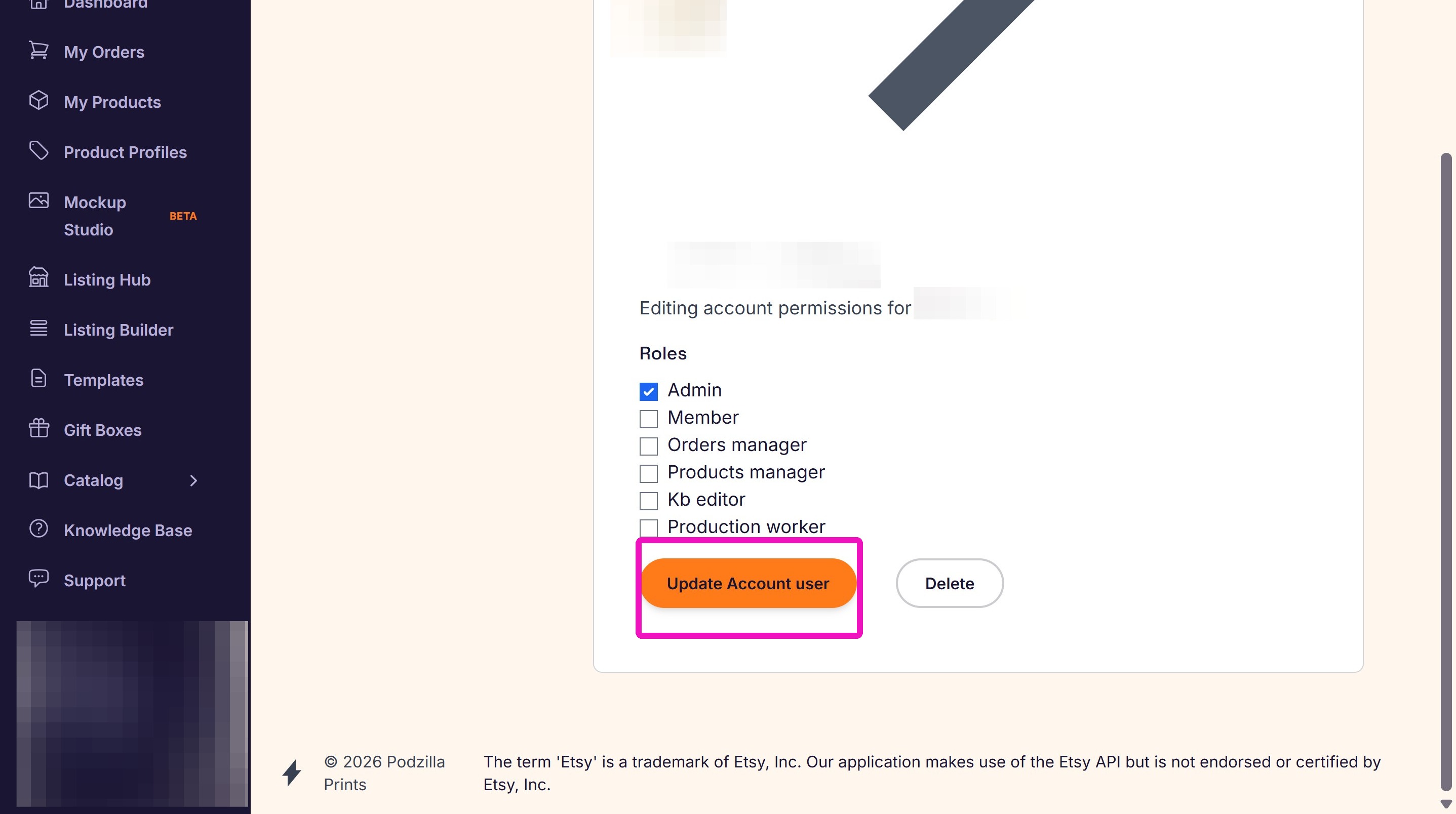
5. Click the checkbox(es) next to the permissions you want to grant. Click Update Account user to save your changes.
Related
More Articles
Getting Started
Welcome to Podzilla! The Podzilla website lets you manage products and orders associated with your shop(s). Let’s get you started.
Getting Started
3,020 views
How to Use the Candle Design Template
TRANSCRIPTThis article explains how to use Podzilla’s candle design templates, including layout...
How-To Videos
1,497 views
Saving Sales with Canva Photo Cards
This customer service option has saved many of my sales! It only takes a few minutes, and is well worth it. I've included the instructional video and my script. Be sure you modify it for your brand and voice.
How-To Videos
1,415 views
Introduction to Podzilla
Introduction to Podzilla by Valerie Pate
Getting Started
895 views
Creating Products
This SOP outlines the steps to create both regular and variant products in the catalog system, focusing on the new product creation form and SKU generation.
Products
754 views