Import From Etsy Tool
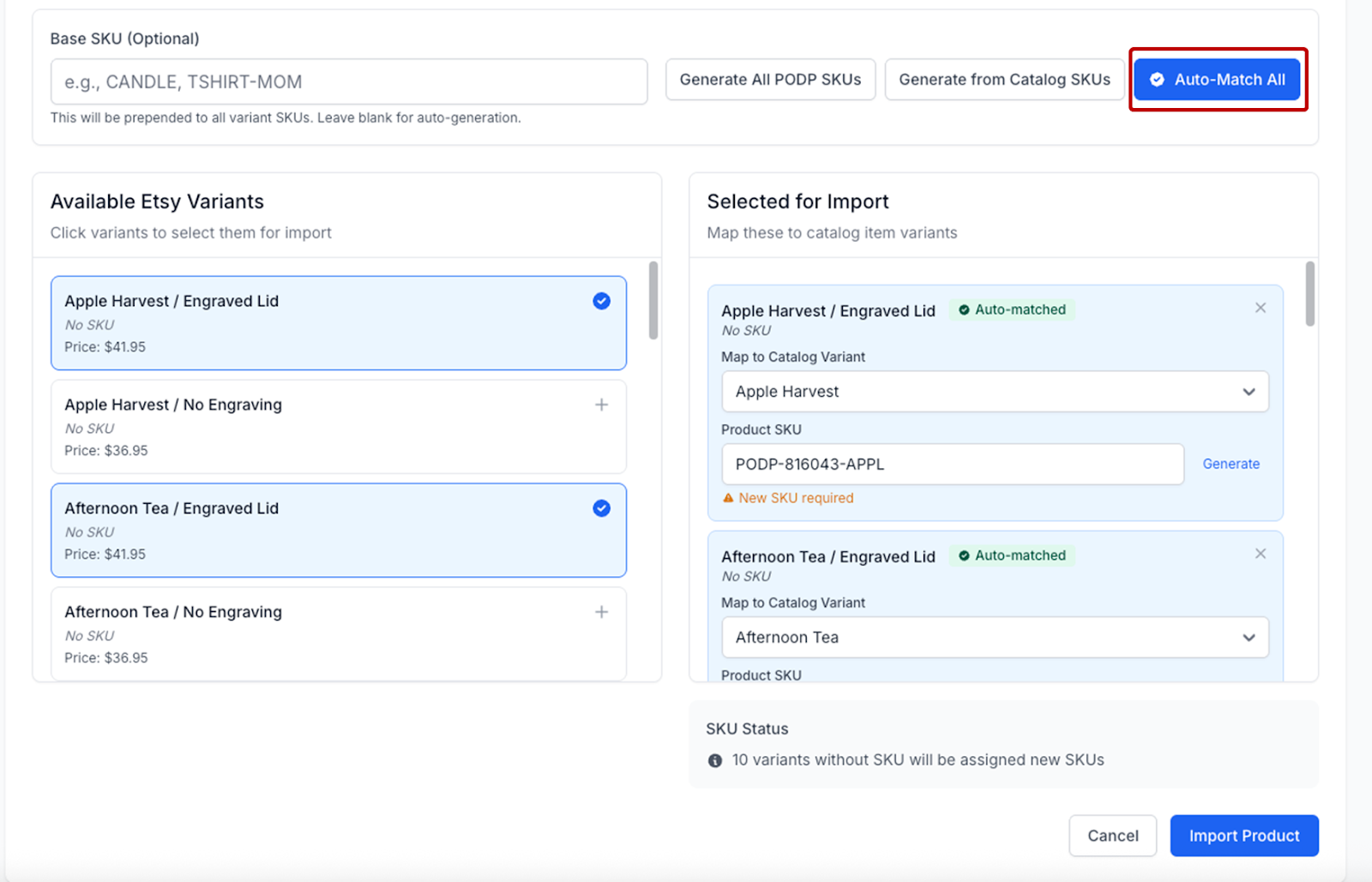
The Import from Etsy tool is particularly useful when creating Podzilla products with variations such as shirts and candles. The video below goes into detail on how to import products.
For full written instructions with screenshots click here. A few notes:
- In order to use the Auto Match all the variation names must match the Podzilla catalog names for the same variants.
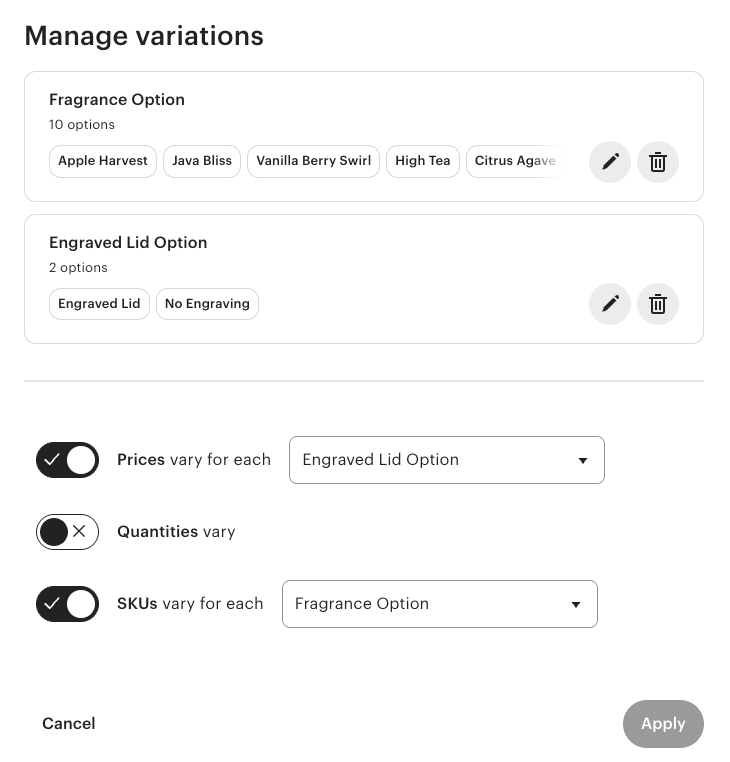
- For candles only half of the variations need to match because you only need one SKU per fragrance, the engraved lid option doesn't matter.
Related
More Articles
Getting Started
Welcome to Podzilla! The Podzilla website lets you manage products and orders associated with your shop(s). Let’s get you started.
Apparel Deep Dive: Catalog, Templates, Products & Orders
This guide walks through everything you need to know about working with apparel in Podzilla — from browsing the catalog and using the print template, to setting up products, syncing SKUs, and approving orders. It's based on Valerie's comprehensive video tutorial above, which demonstrates each step on screen.
How to Use the Candle Design Template
TRANSCRIPTThis article explains how to use Podzilla’s candle design templates, including layout...
Saving Sales with Canva Photo Cards
This customer service option has saved many of my sales! It only takes a few minutes, and is well worth it. I've included the instructional video and my script. Be sure you modify it for your brand and voice.
How to Use the 20oz & 40oz Tumblers Design Templates
TRANSCRIPTThis article explains how to use Podzilla’s Canva and Photoshop design templates for ...