Can I see a monthly total of my Podzilla expenses?
Yes. Go to your Account Profile in the top right-hand corner and click Billing Reports. Click the Monthly View radio button, choose the month from the dropdown menu, and click the Filter button.
Clicking the arrow to the right of View Monthly Summary will expand the summary so you can see the monthly total. Clicking the arrow again will show the daily breakdown.
If you are part of the POD Roadmap and using the Income/Expense Report, you can relabel the Other cell to Podzilla and put your monthly total there. This will not change any formulas, but you will need to relabel the YTD Other cell to YTD Podzilla in the YTD tab of the spreadsheet so it will match.
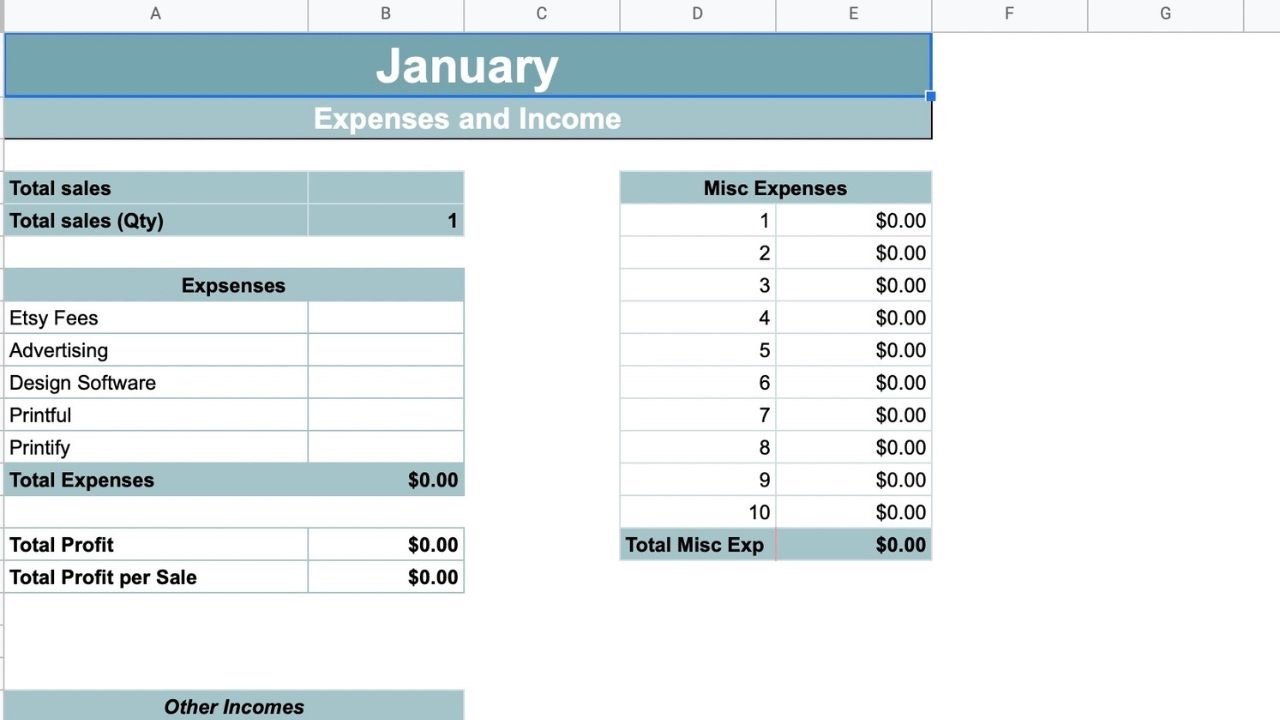
(If you aren’t a member of Cassiy Johnson’s POD Roadmap group, you can buy the Income/Expense Report here.)
Related
More Articles
Getting Started
Welcome to Podzilla! The Podzilla website lets you manage products and orders associated with your shop(s). Let’s get you started.
How to Use the Candle Design Template
TRANSCRIPTThis article explains how to use Podzilla’s candle design templates, including layout...
Introduction to Podzilla
Introduction to Podzilla by Valerie Pate
My Orders
Before you can fill an order, it must be linked to a product in Podzilla. Products are linked from your Etsy store to your Podzilla product by the SKU (or Stock Keeping Unit). This is a unique code that tells the system what product and variation (if applicable) the customer ordered. Think of the...
Q4 Customer Service Guide🎄
Russ will send you an invitation to join the group but it does expire after a certain timeframe, so don’t forget to check back and see if you have the invitation.